
Business Automation Consulting: What You Pay For and How to Choose
Business automation consulting is paid advice on which of your workflows to automate, in what order, and with which tools. The best engagements start with how your company makes money, not with software. If the first meeting is a demo, you are talking to a seller. Good advice ends in a short, ranked list of fixes tied to revenue and cost, and only then in a tool choice.
This guide is for owners and managers of small and midsize businesses. It explains what the work covers, how to decide what to automate, what to expect from the process, and how to tell sound advice from a sales pitch.
RaremindFind the Inefficiencies Costing YouRaremind’s Money Map identifies lost revenue, excessive costs and process inefficiencies, without pushing unnecessary technology.Visit
TL;DR
Automation consulting should rank your workflows by revenue and cost impact before any tool is named.
Good candidates are rule-based, repetitive, high-volume work with clean inputs. Messy or unstable processes should be fixed first.
Score each candidate on time saved, volume, error rate, strategic value and difficulty, then start with the top two or three.
A consultant with no software to sell and no vendor commissions has no reason to favor one tool over another.
Judge advice by whether it names the money it expects to recover, the owner of each change and the cost of running it afterward.
Table of Contents
What business automation consulting actually covers
Why the starting point matters more than the tool
Which tasks and workflows are worth automating
What the process looks like from review to rollout
Costs, results and risks to weigh
When to bring in a consultant
How to judge the advice you receive
Working with Raremind
Sources
What business automation consulting actually covers
The label covers several kinds of work, and the names for it (workflow automation services, process automation consulting, automation consultant) are used almost interchangeably. In practice, an engagement tends to include some mix of these parts:
Process review. Someone maps how work moves from a customer inquiry to cash in the bank: who touches it, which system holds the data, where it waits.
Opportunity ranking. The steps that are slow, error-prone or repeated get scored so you know what to automate first and what to leave alone.
Tool and architecture advice. This means choosing between what you already own, a new platform, an integration between existing systems, or an AI component.
Implementation guidance or delivery. Some firms build the automations. Others direct your team or a separate builder.
Ongoing review. Workflows drift, tools change and volumes grow, so the list needs revisiting.
The problems it addresses are usually ordinary: invoices keyed in twice, leads that sit unanswered, reports assembled by hand every Monday, approvals stuck in an inbox, and five subscriptions that each do a third of a job. These are rarely technology problems at root. They are process problems that technology can speed up or, if applied carelessly, make permanent.
The scale of the opportunity is real. A widely cited McKinsey Global Institute analysis estimated that 46 percent of time spent on work activities across occupations and industries is technically automatable with demonstrated technologies. That is a ceiling on what is possible, not a forecast for your company. The practical question is which small slice pays back first.
Why the starting point matters more than the tool
Most automation projects that disappoint fail in the same way: a team picked a tool, then looked for places to use it. The result is a clever automation sitting on top of a broken process, now running faster and with fewer people watching it.
A consultant who starts from revenue asks different questions. Where does money enter the business, where does it leak, and which manual steps sit on that path? A quote that takes four days to produce loses deals. A billing step that depends on one person’s memory leaves invoices unsent. Those are the places where automation earns its fee, and they are often not the places the team complains about loudest.
It also matters who is advising. If the firm resells software or earns commissions from vendors, the recommendation and the revenue are tied together, whether or not anyone intends it. Ask how the consultant is paid. An advisor paid only by you can say “use the system you already have” or “don’t automate this yet” without losing income.
For a closer look at fixing the process before the tool, see our guide on how to automate your sales process without automating the mess.

Which tasks and workflows are worth automating
Not every repetitive task should be automated. Public-sector guidance is a good neutral reference here. The Australian state government of New South Wales publishes an automation guide for the discovery stage that screens tasks with a short set of questions. It is written for government agencies, but the logic transfers to any business. A task is a strong candidate when it is:
Very manual today
Rule-based and stable, so the steps do not change week to week
Low in exceptions, meaning most cases follow the standard path
Highly repetitive
Prone to human error
Mature and measurable, so you can tell whether the automation worked
Fed by digital inputs a system can read, not paper or free-form notes
Running on systems that will stay in place for the long term
Large enough to matter, which that guide frames as saving the time of at least two to three full-time staff
That last test is calibrated for large organizations. A ten-person company will rarely save three full-time equivalents, so scale it to your own payroll: does this task cost enough hours or errors each month to justify the build and the upkeep?
Where small businesses usually find the first wins
The same families of work come up again and again:
Data entry and data transfer between systems, such as order details copied from email into accounting
Report generation that pulls the same numbers every week
Routing of emails, requests and support tickets to the right person
Data validation, such as checking that required fields are complete before a record moves on
Scheduled tasks and notifications, including payment reminders and follow-ups
These are rule-based, high-volume and error-prone, which is what makes them good first candidates.
A simple scoring method you can run this week
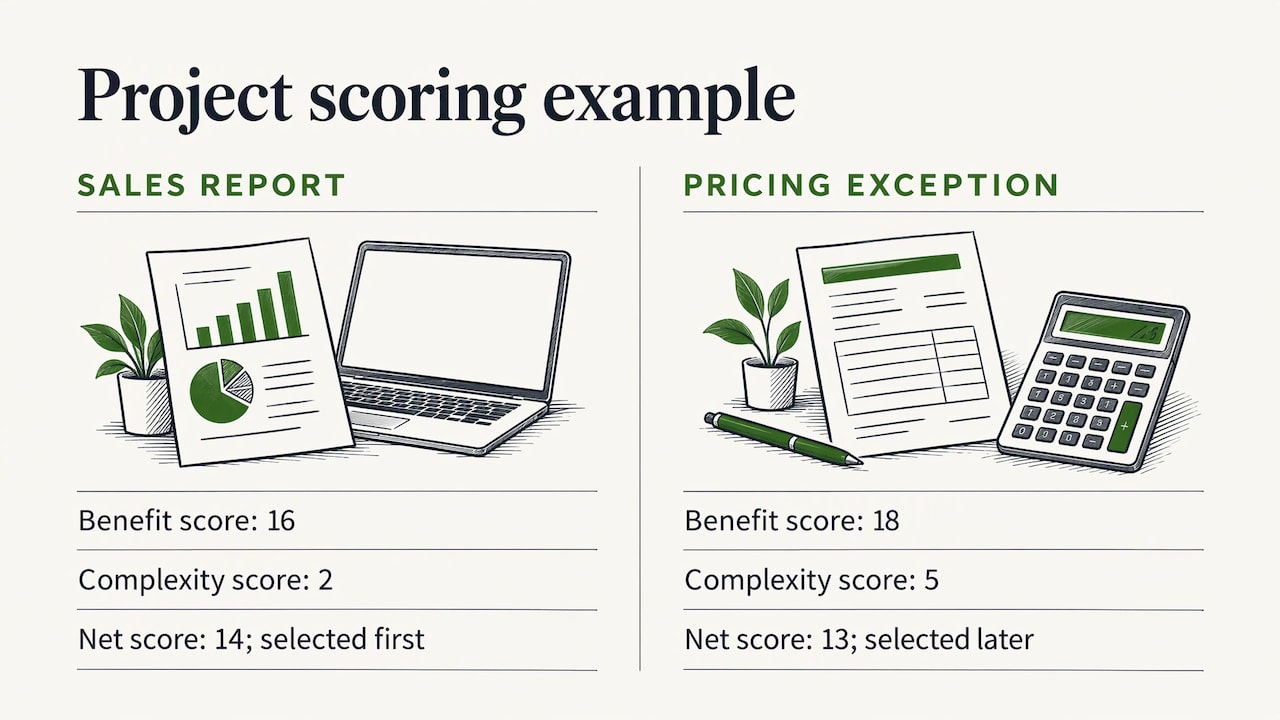
List your ten most irritating recurring tasks. Score each from 1 to 5 on five benefits: time it consumes, consistency problems, volume, error cost and strategic value. Then subtract a 1 to 5 score for complexity. One published approach uses a version of this formula, with higher complexity scores counting against a task. Treat the numbers as a way to force a conversation, not as a precise measurement.
A worked example: a distributor’s weekly sales report takes a manager three hours. It scores 4 on time, 3 on consistency, 4 on volume, 2 on errors and 3 on strategic value, for 16. The data sits in two systems with a clean export, so complexity is 2. The net score is 14. A custom pricing exception process might score 18 on benefits but 5 on complexity, for 13. The report goes first because it is cheaper and safer, and it builds the habit and the data for the harder project.
To compare candidate projects on cost as well as benefit, it helps to estimate effort in small work packages. This guide on defensible project estimation shows one way to break work down so the estimate holds up.
What the process looks like from review to rollout
Whether a firm calls it workflow automation services or business process automation services, the sequence is similar. Here is what a sound engagement does and where each stage tends to go wrong.
1. Discovery
The advisor interviews the people who do the work, not just the people who manage it, and follows a few real transactions from start to finish. The common failure is mapping the process as it is supposed to run. The map that matters shows the workarounds, the spreadsheets and the person who knows how to fix it when it breaks.
2. Prioritization
Candidates are scored and ranked, ideally against money: revenue recovered, hours saved at a real hourly cost, errors avoided. The common failure is a long list with no ranking, which leaves you to do the hard part.
3. Matching the method to the task
Different work calls for different methods. Rule-based tasks with structured inputs suit simple integrations between systems. Work that spans several systems may need an orchestration layer. Document-heavy work may need software that reads documents. Tasks that need judgment may suit AI, usually with a person approving high-risk decisions. The common failure is using AI for something a simple rule would do more cheaply and more predictably.
Before buying anything new, check what you already pay for. Many companies own features they have never switched on. This piece on suite versus best-of-breed software shows the capability questions worth asking before you add another tool, and our guide on application rationalization covers how to cut overlap.
4. Build and test
The automation is built, run alongside the manual process for a period, and compared against known results. The common failure is switching over without a rollback plan.
5. Handover and review
Someone inside the company must own each automation: know what it does, who gets alerted when it fails, and when it should be reviewed. An automation with no owner becomes a silent risk.
Costs, results and risks to weigh
Pricing varies widely by scope, so beware any article, including this one, that quotes a single universal price. Consultants bill by the hour, by the project or through a monthly retainer. Hourly billing suits exploration and audits. Fixed fees suit well-defined builds. A retainer suits ongoing improvement after the first fixes are live. Ask for the model in writing and for what is excluded, especially software licenses, which are usually paid separately to the tool vendor.
Results to ask about should be stated in your terms, not the consultant’s: hours returned to the team, days cut from the time to invoice, errors per hundred orders, leads answered within an hour. Set a baseline before the work starts, or you will never know what changed.
The main risks are predictable:
Automating a broken process. You get the same mess, faster.
Tool sprawl. Each new platform adds a subscription, a login and an integration to maintain.
Hidden running costs. Licenses, usage fees and the time to maintain the automation reduce the net saving.
Over-reliance on AI. Adoption is rising, but it is far from universal. A Federal Reserve note drawing on Census Bureau survey data put AI adoption at about 18 percent of U.S. firms at year-end 2025. Plenty of strong automation needs no AI at all.
Data quality. Automation multiplies whatever data it is fed, including the errors.
Our technology assessment guide walks through how to evaluate what you have before adding anything, and our piece on data integration strategy covers how systems should share information.
When to bring in a consultant
You can handle a lot internally when the task is small, the tool is one you already own and someone on staff has the time and curiosity. A consultant earns the fee in different situations:
You have many candidate projects and no agreed way to rank them.
Your tools overlap, and nobody can say which ones the business actually needs.
Previous automation attempts stalled or created new problems.
The work crosses departments, so no single manager owns the whole process.
You suspect revenue is leaking but cannot point to where.
You want an outside view that does not depend on selling you a platform.
The last point carries weight. People inside the company are close to the work and often accept its quirks as normal. An independent reviewer sees the quirks as costs.
Our article on business transformation consulting covers how larger changes are structured, and the AI readiness assessment guide shows how to map revenue workflows before choosing tools.
How to judge the advice you receive
Use these questions in the first conversations and again when the recommendations arrive:
Does the advice start with money? Each recommendation should state what it recovers or saves, and how that was estimated.
Is there a ranked list? You should know what comes first, what waits and what you should not automate.
How is the advisor paid? Software resale, referral fees and vendor commissions are all conflicts to understand.
Is the running cost included? A recommendation should show the license, maintenance and staff time, not only the build cost.
Is there an owner for each change? Someone on your side must be named.
Does it use what you already have? A good advisor checks your current tools before proposing new ones.
Can the result be measured? There should be a before number and a way to check the after number.
Be wary of promises of a fixed number of opportunities found or savings guaranteed before anyone has seen your operation. Findings depend on the business, and a number promised in advance is a marketing figure.
What we think about automation advice
Most owners we meet do not have a technology problem. They have a few places where money slips away: a lead that goes cold, a job that is billed late, a subscription nobody uses, a report that takes a day to build. Technology can fix some of those, but only after someone has found them.
That is why we begin with how the business makes money. Our Money Map lays out your current workflows so you can see lost revenue, excess cost and process friction in one picture. The tool question comes after that, and sometimes the answer is that you already own the right one.
We do not sell software and we take no vendor commissions. That is deliberate. When the only thing we sell is advice, the advice can be “consolidate these three tools into one” or “leave this process alone.” Our method is standard, but every recommendation is written for the business in front of us.
The aim is a business that runs better without you having to become a technology company.
Mirko
Working with Raremind
If you want this kind of independent review on an ongoing basis, Your Digital & AI Office is our subscription plan at €995 per month. It covers analysis of how your business makes money, workflow mapping with the Money Map, advice on automation and digital and AI strategy, and assessment of vendors and tool consolidation, with continuing strategic support. Larger, hands-on initiatives are scoped separately as Larger Projects. We do not sell software or take vendor commissions.

FAQ
What is the difference between workflow automation and business process automation?
The terms overlap heavily. Workflow automation usually means automating the movement of tasks and information between people and systems. Business process automation often refers to a broader end-to-end process, such as order-to-cash. For a small business, the useful question is not the label but which steps are costing you time or money.
Do I need AI to automate my business workflows?
No. Many of the best first projects are rule-based tasks like moving data between systems, sending reminders or routing requests, and these need no AI. AI becomes relevant when a task needs judgment, language understanding or work with unstructured documents, and even then a person usually reviews the high-risk decisions.
How long before automation pays for itself?
It depends on the task’s volume, the build cost and the running cost. Estimate the hours or errors removed each month, price them at a realistic rate, and compare that with the setup and ongoing fees. Choosing a high-volume, low-complexity task first shortens the payback.
Should I fix the process or automate it first?
Fix it first. Automation repeats whatever steps it is given, so an unclear or inconsistent process will produce inconsistent results at speed. Map the real process, remove steps that add nothing, and then automate what remains.
Can a consultant who sells no software really help me choose tools?
Yes, and the lack of a product to sell is the point. An advisor with no commissions and no resale margin can recommend the tools you already own, a consolidation or a new platform purely on fit. That makes the recommendation easier to trust.
Sources
McKinsey Global Institute, A Future That Works: Automation, Employment, and Productivity
BuildFM, Identifying which processes are best candidates for automation